
TC2000 scan returns no results, or 200 stocks? Check the inputs first

Yesterday the scan returned 184 names. Today it returns none, and you have not touched the strategy. The tempting move is to loosen the conditions until the list looks familiar again. That can turn a settings question into a different trading method before you find out what changed.
A scan result is the meeting point of three things: a stock universe, a set of conditions and a moment in time. An empty list can be correct. A list of 200 can be correct too. Make the inputs reproducible first, then decide what the output means.
Write down the universe before the rule
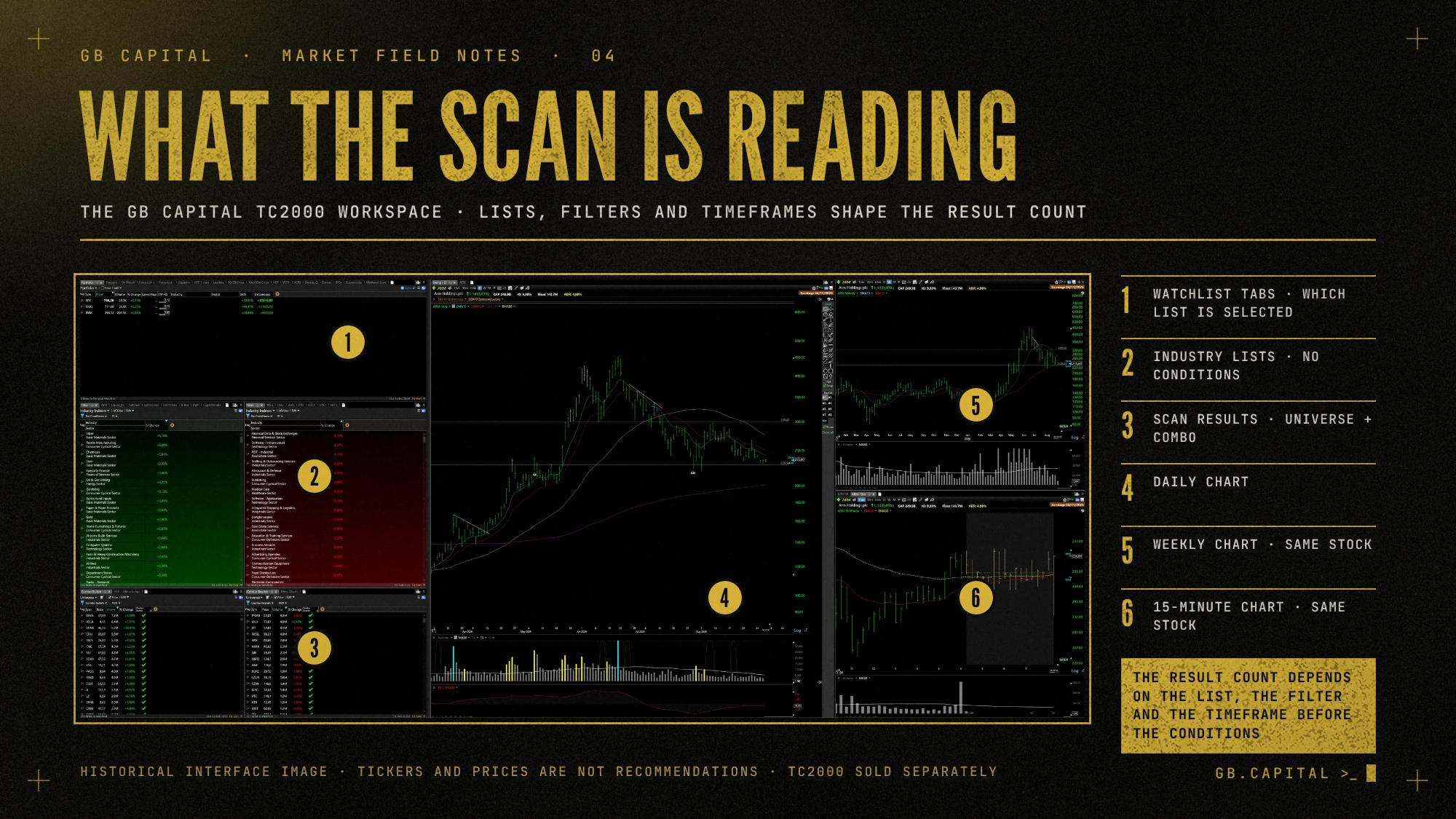
Note which WatchList is being scanned. A filter run on a personal list of twenty stocks gives a very different result from the same filter on a broad list. Check the selected universe before changing an indicator or a threshold.
It is easy to get this wrong when windows look alike. A saved layout can put lists and charts side by side, and each window still needs its intended context. Give your working list a recognisable name, and note which window you use for discovery and which one holds the names already under review.
Check which filters are active
TC2000's documentation explains that conditions can be used as True/False columns to filter WatchList results, and its help pages describe how the EasyScan interface changed between software versions. A condition saved in a layout does not prove the list is filtered by it right now.
Use the controls in your installed version to confirm which conditions are applied, and note how they combine. Requiring A and B gives a different list from accepting A or B. Change several switches at once and you lose the trail of which one moved the output.
Match the timeframe to the question
'Above a moving average' means nothing until you add the period and the bar timeframe. A condition on daily bars answers a different question from the same condition on shorter intraday bars. Check the condition's own timeframe, because the chart controls on screen may not drive every calculation.
If you compare scans, record the time you ran it and the data session you meant to use. Prices and volumes keep developing during a session, so a result from before the close need not match a saved end-of-day list.
Use one stock to find out why a scan returns zero
Suppose a stock was in yesterday's result and is missing today. Open that one company and check each condition against the data it should use. You are looking for the first reason it stopped qualifying. A price move, a timeframe difference or a changed universe can explain the empty list without any software fault.
If a condition depends on data that is missing for part of the universe, look at how the platform represents the missing value. In your own notes, do not turn 'unknown' into 'false' or 'zero' unless the calculation really does that.
When the scan returns 200 stocks
A long list is a discovery queue and not 200 approved trade plans. Keep the full scan if it answers the question you asked, and define the next review step separately, for example checking whether the business or event behind a price move is understandable.
If you add a filter, write down why before you see which familiar names disappear. A threshold picked only to produce a comfortable number of results is hard to defend when the market changes.
Keep a diagnostic record
Write down universe, active conditions, timeframe, session, run time and result count. Save a dated example when the scan works as intended. That gives you something better to compare than the memory that last week's list 'looked better'.
Our TC2000 setup comes with configured workspaces and scanners, a PDF guide and email installation support. It is a starting configuration and promises no particular number of results. Before you buy or change anything, check whether the problem is the configuration or the amount of research that follows the scan.
Educational material, not investment advice or a recommendation.