
Importing a TC2000 workspace: the checks before your first scan

The imported layout opens and the platform suddenly looks organised. Charts line up, lists have names, the market fits on one screen. That first impression is easy to mistake for a finished installation.
A workspace needs a short acceptance check. You want to know what came in, which inputs it uses and how to get back to a version that worked. Do it before you start adding your own changes.
Save your current layout first
Before importing, save your existing layout with the controls in your TC2000 version, under a name different from the imported one. If you ever need to compare behaviour, you can reopen the original without trusting your memory.
TC2000 can share WatchLists, charts and whole layouts. Work out which of those the link is meant to deliver. Opening a shared chart and importing a full working environment are different operations, even when both start from a link.
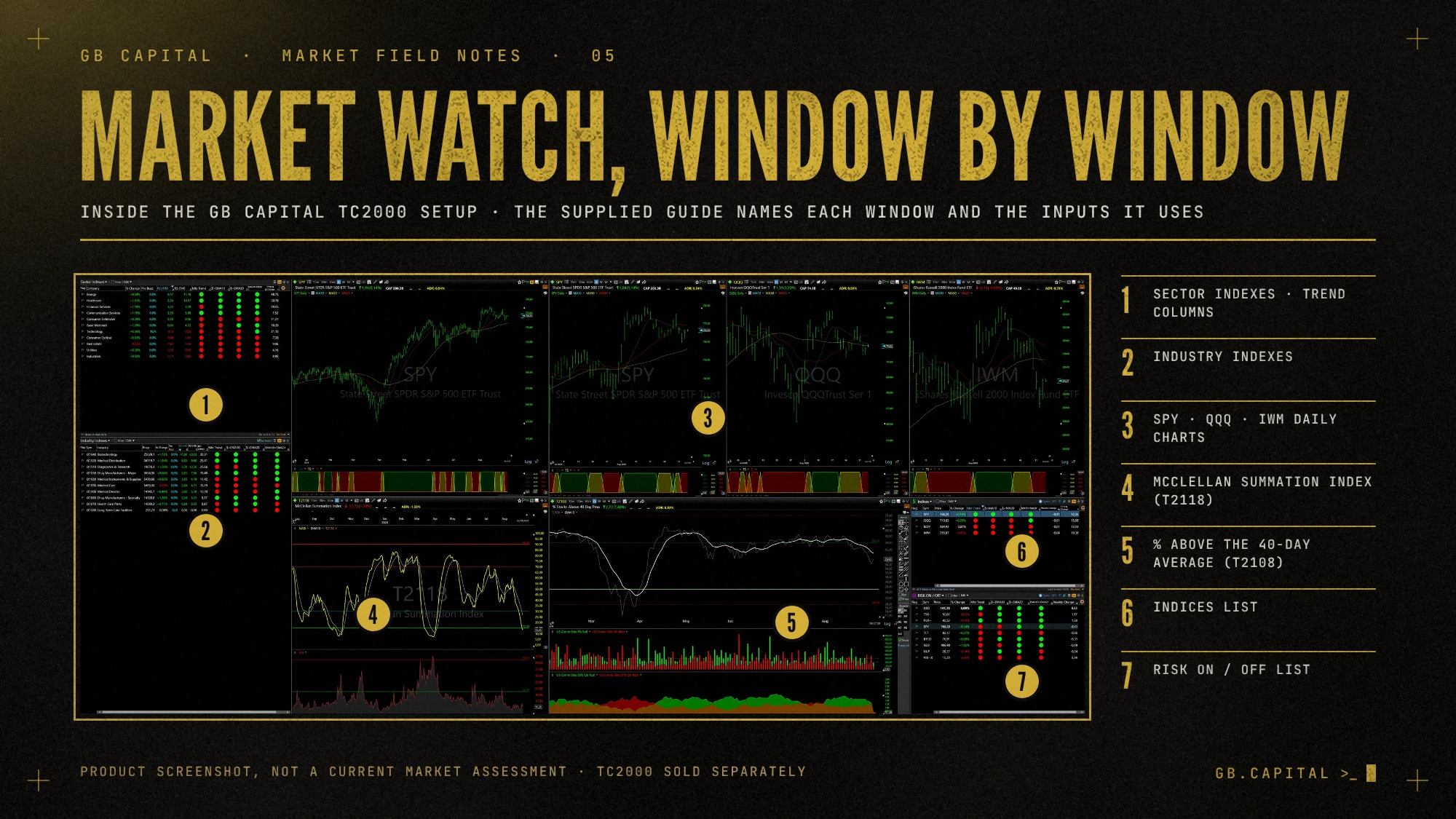
Follow the guide that comes with the setup
The delivery email for the GB Capital setup includes the PDF guide and the links for Main Dashboard and Market Monitor. Start with that guide and keep the import links together with the order email. Do not mix instructions from an older version with files from a newer one.
The setup is a GB Capital configuration that runs inside TC2000, and it does not include the TC2000 software subscription. Our product page specifies TC2000 Premium or higher. Check the current plan and any data requirements before you expect every part of a layout to work, because the provider's plan names and features can change.
A small acceptance test for an imported TC2000 layout
Pick one company you can inspect easily and check that the symbol shows up in all the linked windows. Then look at the chart periods. A daily view and a shorter intraday view can show different-looking structures on purpose, so make sure the difference is intended.
For each list, note its job. Is it the universe being scanned, a filtered result or a list you maintain by hand? A label that makes sense to its creator may need a sentence in your own notes. If you cannot explain a list's role, pause before using it to make decisions.
Finally, confirm which filters are active and look at an example result. The point is to see that the environment behaves as described. You do not need to place a live order to find out whether a layout imported properly.
Missing feature or changed result?
A control that is not there, or a data field that is missing, calls for a different investigation from a scan that returns few names. For the first, check plan access, data availability, software version and the supplied instructions. For the second, check conditions and market inputs.
Describe the exact symptom. 'The lower-left list is empty after applying these conditions to this universe' gives support a starting point. 'Nothing works' makes both of you rebuild the whole installation.
Change one thing at a time
Once the supplied configuration passes its checks, save a clearly named working copy before you customise it, and record each change and the reason. Alter a timeframe, a filter threshold and the list universe together and a later difference in results has three possible explanations.
Keep sensitive information out of support screenshots. A picture of the affected window, its controls and the relevant symbol is usually more useful than a full desktop with account balances and unrelated messages.
The GB Capital TC2000 setup includes email support for installation, so you do not need to buy a separate educational call just to ask for help importing it. If the installation works and what you need is a better way to organise your review, that is a different conversation.
Finish with a short handover note to yourself: the version installed, the layout you saved, the three checks you completed and where the guide is stored. It should be enough to pick the work up another day without importing everything again.
Educational material, not investment advice or a recommendation. Screenshots are historical product images.