
TC2000 setup
From the broad market to individual stocks: bring the workspace we use to organise our analysis into your own TC2000 account. Layouts, Market Watch and scanners, with a guide to what you are looking at and how to use it.
- Complete workspaceA structure ready to import into your TC2000 account.
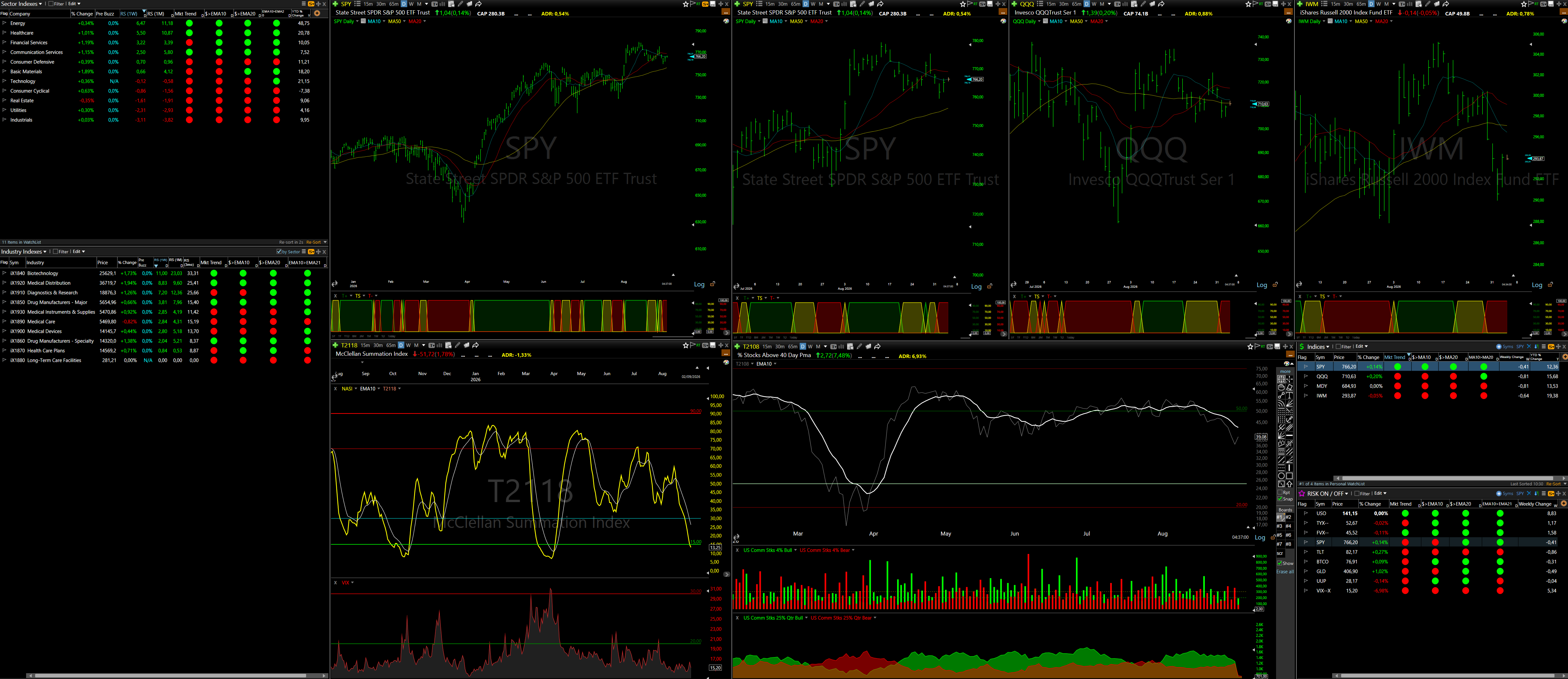
- Market Watch and scannersA market overview and a dedicated space for researching opportunities.
- PDF operating guideInstallation, configuration and use of the setup, explained step by step.
- Email supportIf something is unclear during configuration, write to us. We will help you get started.
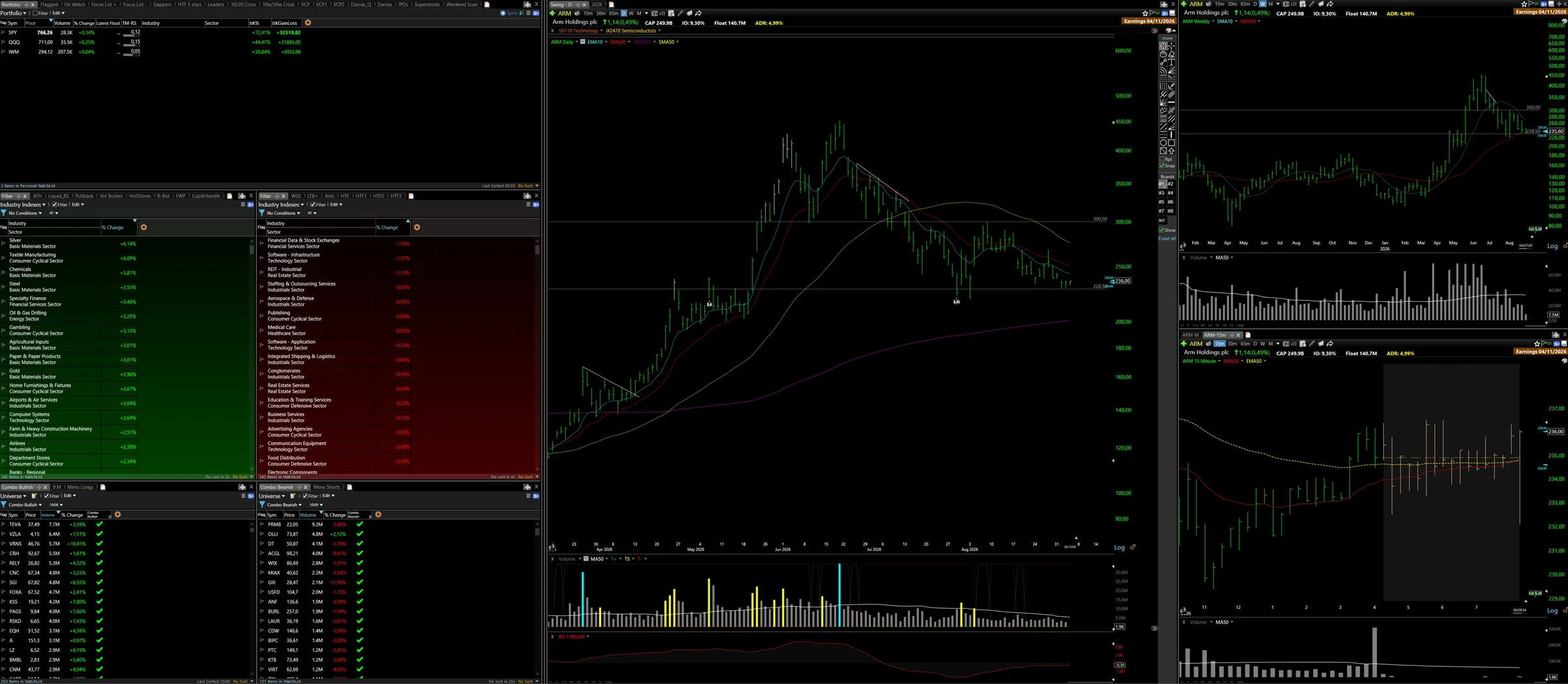
From first login to your workspace.
- Set up TC2000
Choose a compatible plan and install the software on your computer.
- Get the setup
After payment, receive the import link and PDF guide by email.
- Import and configure
Follow the guide and adapt the workspace to your process. Contact us with any configuration questions. Before using the scanners, review volume, liquidity and bid-ask spread.
Inside Market Watch
WHAT YOU NEED / TC2000
TC2000 Premium or higher is required and sold separately (affiliate link). This setup includes our complete, ready-to-import configuration: the workspace we use every day, developed and refined over roughly two years. TC2000 software is not included.
Email support for installation is included. If you want to use the setup more strategically, we can explore it together.
Go deeper in a 1:1 session