
TC2000 next earnings date: check it before entry
Your scan found a stock and the chart fits. Before you plan the entry, confirm when the company reports and save the announcement that gives the date.
In short
Use TC2000’s Next Earnings column to flag the stocks you need to check. Confirm the date and release window in the company’s investor relations announcement, and record the conference call time separately.
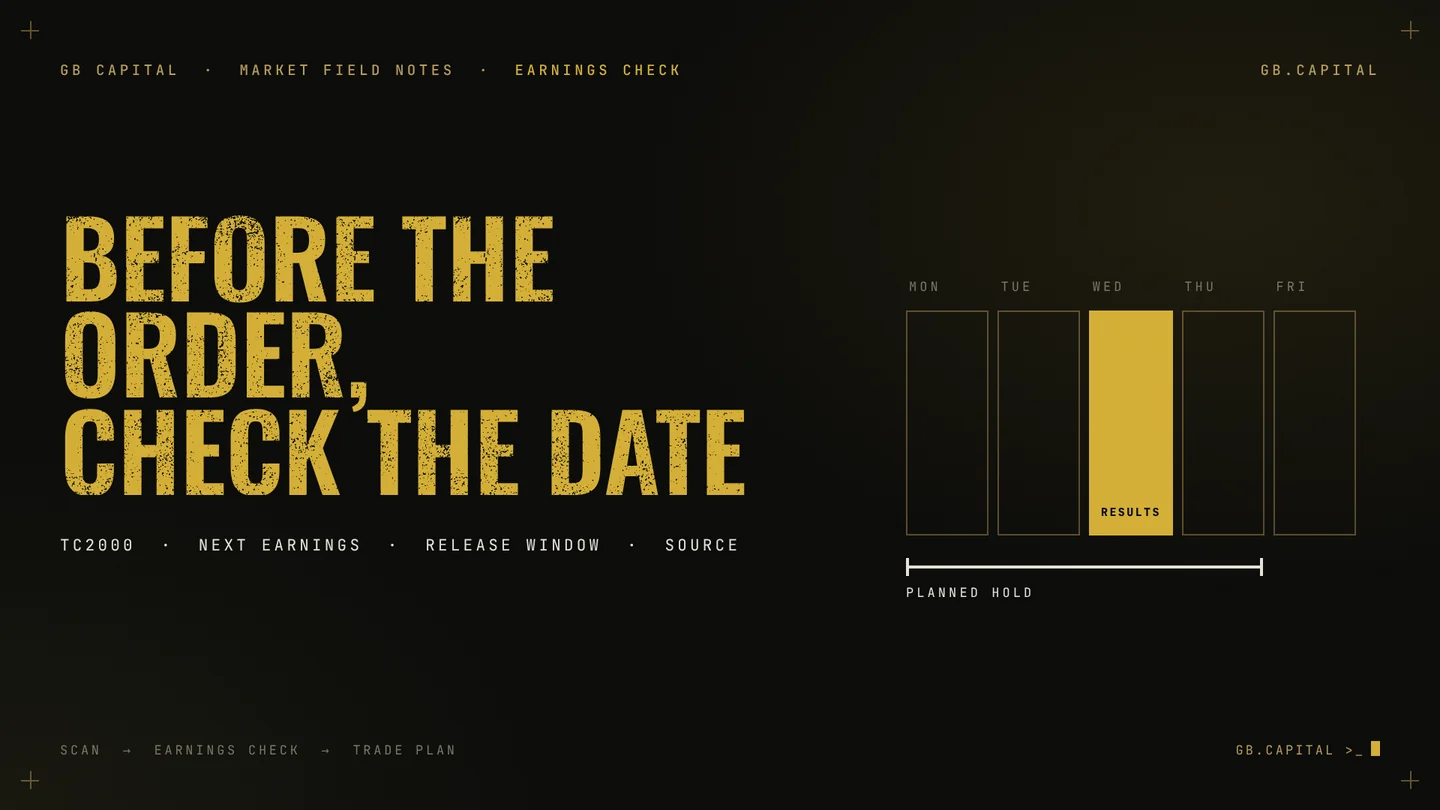
Imagine spending Sunday choosing a stock for a trade you expect to hold until Thursday. The chart fits. You mark an entry, an exit and a position size. Then you find the earnings announcement: Wednesday, after the close. Your four-day plan now contains a company report you had never assessed.
You can do careful chart work and still miss that event. A scan built around price and volume tests the conditions you gave it. Unless you add an earnings check, a stock can pass those filters with results due before you intend to exit.
Put that check between the scan and the order. TC2000 has a Next Earnings column that can help you find the dates to investigate. You still need to confirm the announcement and its timing.
01 · TC2000 next earnings dateHow do you see the next earnings date in TC2000?
- Open the watchlist you want to review. Start with the stocks you already hold, then the new candidates.
- Add the Next Earnings column. Use Add Column, choose Add Value Column, search for Next Earnings and select it.
- Sort, then check the direction. The first click on the header sorts in descending order, with the farthest dates on top. Click again so the nearest dates come first.
- Record date, release window and source. Write “not confirmed” when the cell is empty.
The official TC2000 guide to Next Earnings describes the steps. Look at the dates in the first few rows rather than assuming one click selected the order you wanted. TC2000's sorting documentation also explains the direction indicator and manual re-sort, with updates subject to your service level.
Keep this review separate from a scan's pass/fail result. A stock can satisfy the chart conditions while its earnings announcement falls inside the period you intended to hold it.
A symbol can also disappear from a technical scan while you still own it; that change does not remove the earnings exposure. That is why the stocks you hold come first.
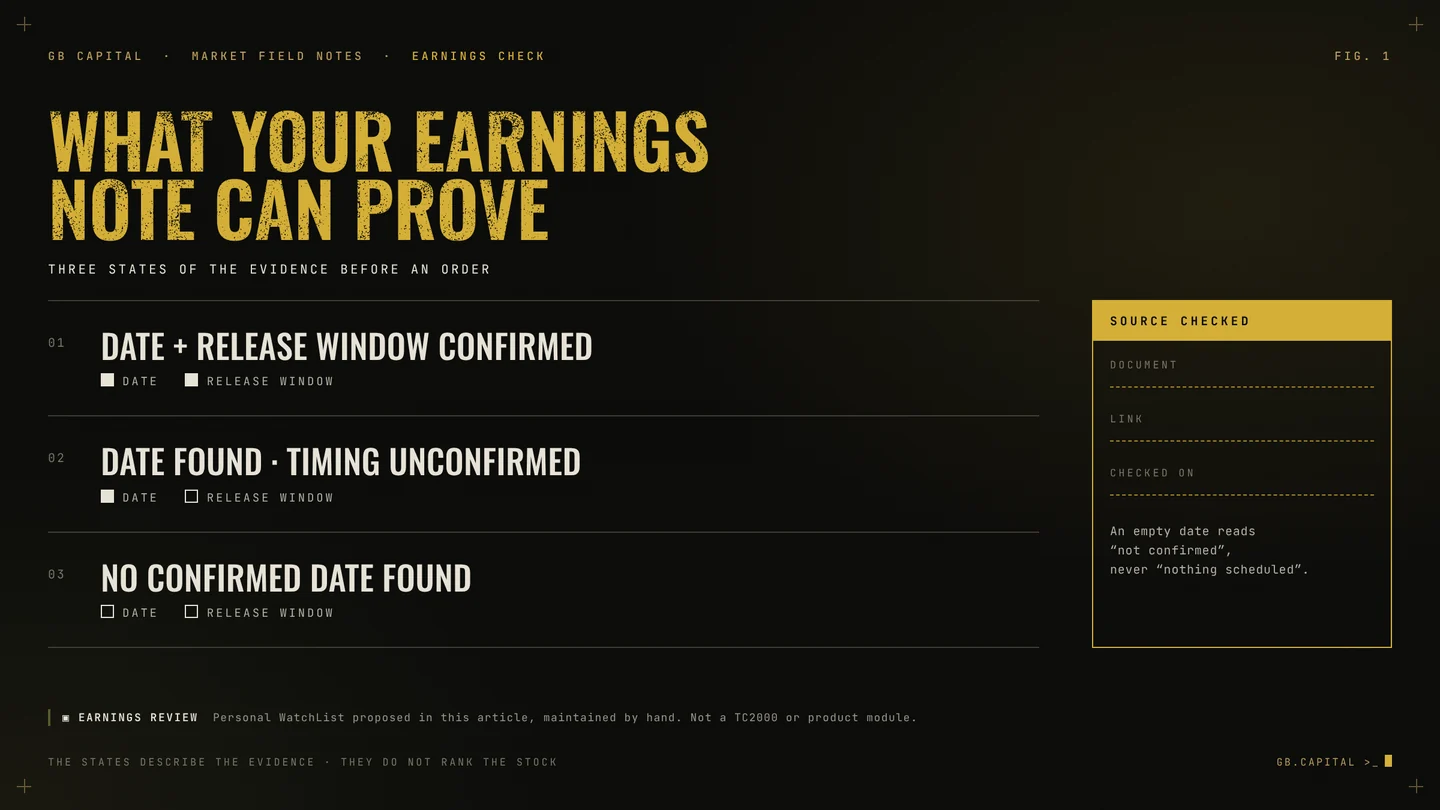
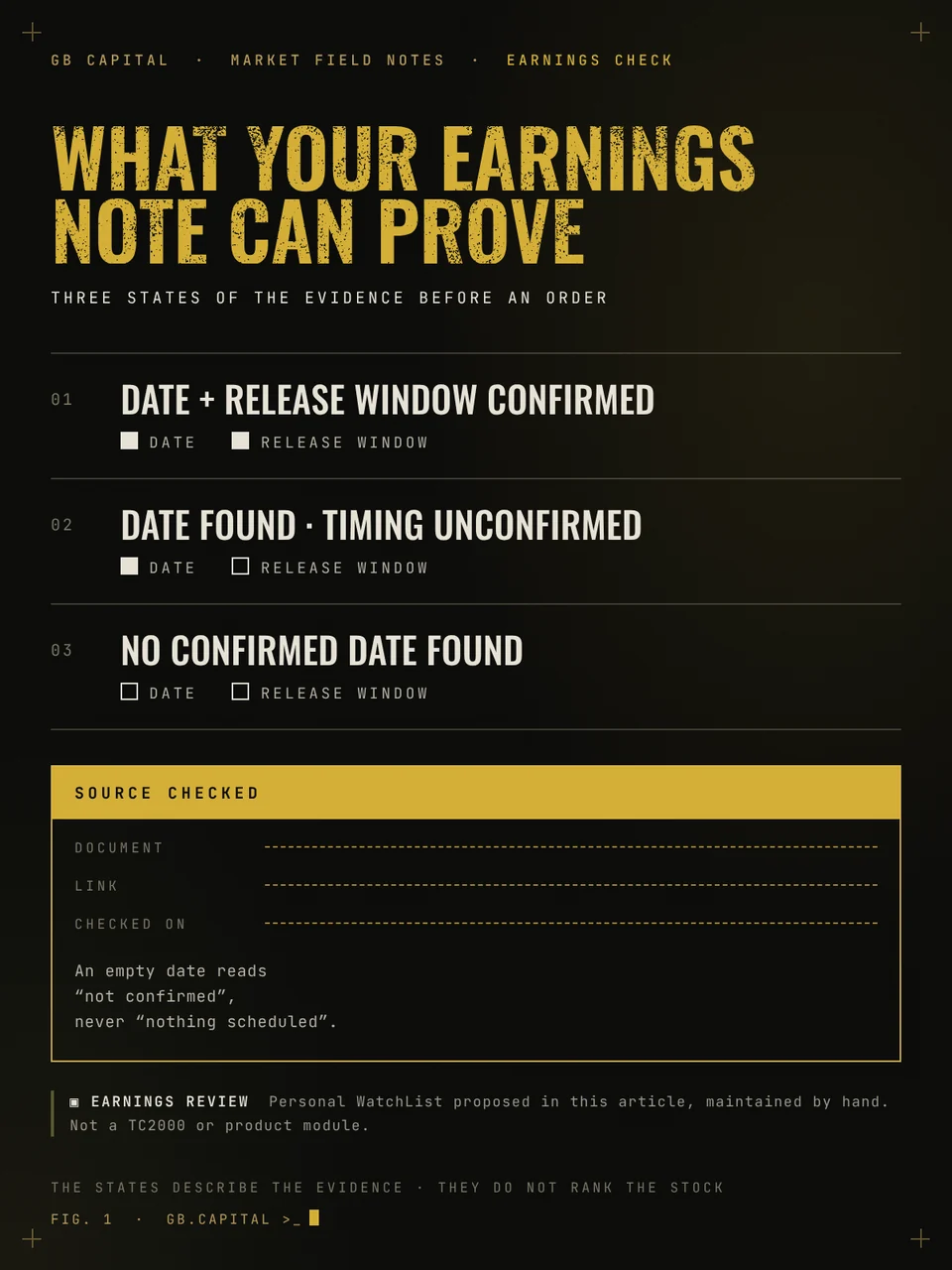
For each candidate, record the date, the expected release window and the source you checked. TC2000 shows the date only where it applies, so an empty cell needs a note such as “not confirmed”. Treating it as “nothing scheduled” would add certainty that you do not have.
02 · Earnings release timeWhy can the conference call time be the wrong time?
Check the company's investor relations announcement for the results release, then record the conference call separately.
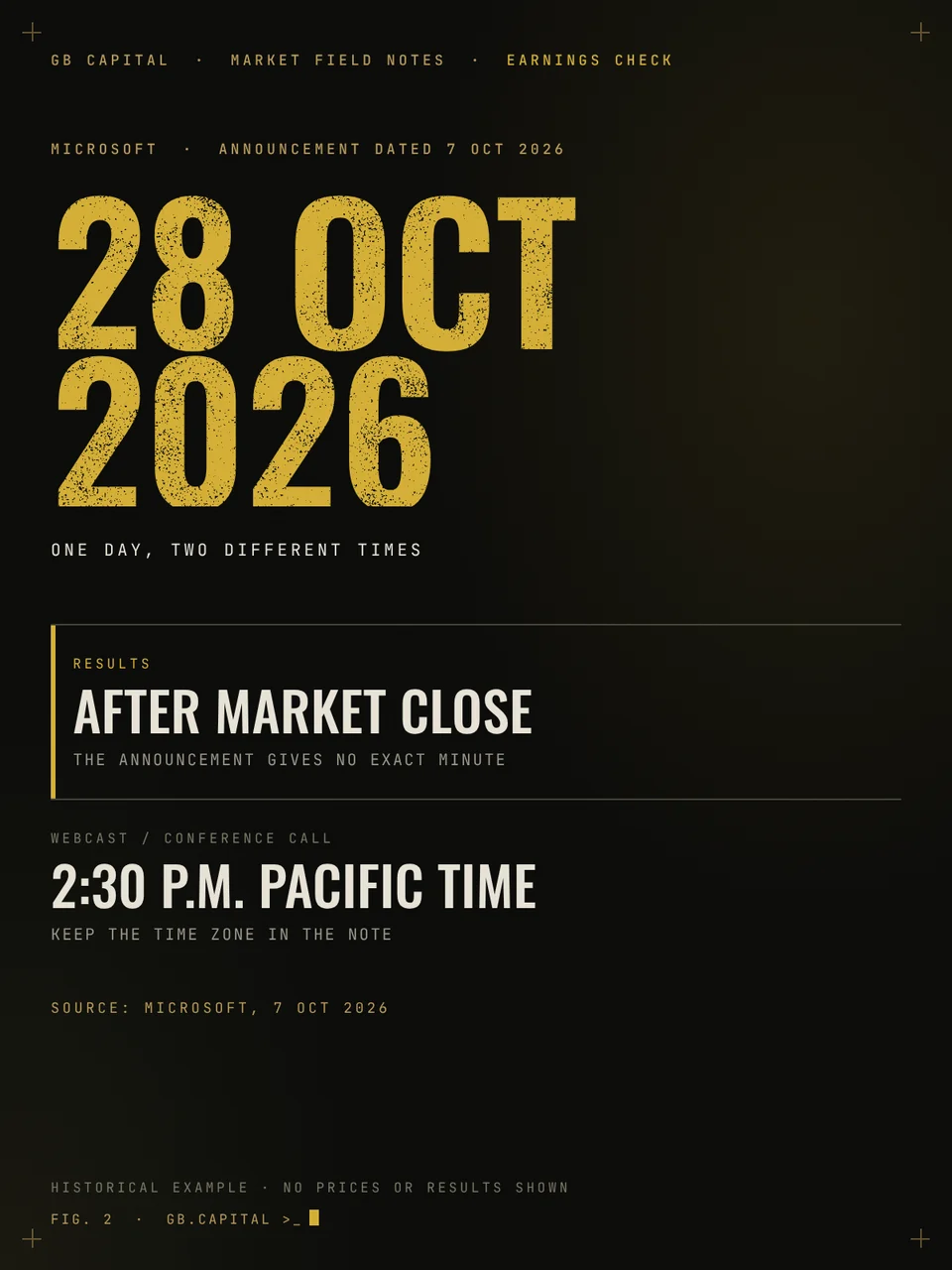
Microsoft provides a useful historical example. Its announcement dated 7 October 2026 scheduled results for 28 October after the market close and the webcast for 2:30 p.m. Pacific Time. It did not give an exact publication minute for the results.
If you copied only the webcast time, your note would leave out the earlier release window. That is enough to change what you need to check before an order. Preserve the time zone, too; “2:30” on its own is an incomplete record.

Use three statuses in your notes. They describe the evidence available; they do not rank the stock or predict its reaction.
- Date and release window confirmed
- Date found, timing unconfirmed
- No confirmed date found
What to record for each stock
| Field | Microsoft example |
|---|---|
| Results date | 28 October 2026 |
| Release window | After the market close (no exact minute given) |
| Call / webcast | 2:30 p.m. Pacific Time |
| Source | Company announcement, 7 October 2026 |
| Status | Date and release window confirmed |
03 · TC2000 watchlist tagHow do you flag stocks with an earnings check pending?
Give the unfinished checks a place in TC2000. Create a Personal WatchList called “Earnings review” and copy the relevant symbols into it. TC2000 supports copying several selected symbols to a Personal WatchList, so you can collect them in one pass.
Then add a Tag Column to the watchlist you normally use, selecting “Earnings review” as its source. The tag shows which symbols also belong to that list. You can keep the reminder visible while sorting the main list by another measure.
This is the sort of addition you can make to the workflow behind our TC2000 setup: review the market, scan for candidates, examine each chart, then complete the event check. Main Dashboard, Market Monitor and scanners provide the starting layout. The earnings-review list above is an optional addition you configure for your own process.
04 · Holding through earningsShould a swing trade stay open through earnings?
Return to the Sunday example: planned exit on Thursday, results on Wednesday. Write down whether your strategy allows holding through that announcement. If it does, the event belongs in the risk assessment. If it does not, the plan needs to respect that rule. Leaving the question blank makes it much easier to improvise once you already own the stock.
A stop order does not settle it. FINRA explains that a triggered stop becomes a market order and can execute away from its stop price. Our earnings-gap guide covers the mechanics in detail.
Keep one dated note with the ticker, release window, source link and decision. For the hypothetical example, it could read:
You can later check whether your actions matched what you wrote. Before placing an order, reopen the source and check whether the schedule still matches your note. After the announcement, review the chart again before reusing old levels: a gap may have changed the distance to your intended entry or invalidation. Update the event record too. An old earnings date is no evidence that the next announcement is far away.
GB Capital · TC2000 setup
Start with a workspace you can build on
You need to move from the broader market to a shortlist, from the shortlist to individual charts, and from each chart to a decision you can explain. Having to assemble the layout again before every review adds another job.
We packaged the workspace we use for our analysis as the GB Capital TC2000 setup. Once it is in place, you can adapt it with checks such as the earnings-review list above. If you already have a layout that works, you can apply these checks there.
one-time
05 · QuestionsFrequently asked questions
What does an empty Next Earnings cell mean?
TC2000 shows the date only where it applies. Record an empty cell as “not confirmed” and check the company's investor relations page.
Is the earnings release time the same as the conference call time?
Not necessarily. Microsoft scheduled its 28 October 2026 results after the close and the webcast for 2:30 p.m. Pacific Time, without an exact minute for the results.
Does a stop order protect a swing trade from an earnings gap?
No. FINRA explains that a triggered stop becomes a market order and can execute away from the stop price.
SourcesSources and further reading
- TC2000 Help, How to find a stock's next earnings date.
- TC2000 Help, How to sort a WatchList by a column.
- TC2000 Help, How to add a symbol to an existing Personal WatchList.
- TC2000 Help, How to create a Tag Column in a WatchList.
- Microsoft, Microsoft announces quarterly earnings release date, 7 October 2026.
- FINRA, Understanding order types can save time and money.
- GB Capital, Earnings gaps and overnight stock risk; Build a stock watchlist you can review.
Sources consulted on 9 November 2026. The three statuses and the check sequence are our editorial proposal, not TC2000 functions. Content for information and education only; not financial advice or a recommendation on any security.